Cohealth is a not-for-profit community health organisation that delivers a range of low cost, high quality accessible health care, support services and community programs. Cohealth has over 30 sites across Melbourne’s CBD, northern and western suburbs.

Cohealth’s challenge: Making cents of the mission
Cohealth was using a legacy accounting system which was full of data and very slow.
It was hard to get any value add – or anything – out of it. The budgeting and planning process was manual, with no auditability and forecasting capabilities.
Upgrading their system to Microsoft Business Central delivered much more functionality such as the ability to add more dimensions and analyse data in a rudimentary fashion.
However, cohealth was still lacking a real reporting function.
Finding a tool with the foresight to do more
Cohealth was looking for a solution that could:
- Bring in and combine financial and non-financial data in one place
- Deliver reporting across the organisation automatically with self-serve features
- Cater to different stakeholders, providing visual reporting functionality
- Budget and create rolling forecasts
- Integrate with their current system; Microsoft Business Central
After trialling various software options, cohealth finally found a suitable solution in Workday Adaptive Planning.

A clean bill of health to start planning forward
Cohealth’s annual budget used to be a huge, manual process spanning 4 months. This was done with a system that did not integrate, and was slow and difficult to report from.
They also created forecasts twice a year. It was quite backwards because the system only allowed them to look at the performance Year-to-Date.
All this changed with Workday Adaptive Planning.
Several models including payroll, grants, revenue, capex, income allocation and fee-for-service were built. These models have allowed cohealth to become more sophisticated with their planning and at a more granular level – yet without it being more time consuming.
In the old system, the budget and forecast could not be loaded in. Now with Adaptive Planning, the finance team are able to just copy and paste information into a new version for the month, and make changes.
This has enabled a constant 12 month rolling forecast – something impossible just months ago.
With audit tracking features, they can see who did what changes when. They can also create multiple scenarios easily with version management and control.

Forecasting a brighter future
Beyond the budgeting and planning process being easier and quicker, cohealth can now look forward and ask:
- Where are we going to be this Financial Year and in 12 months’ time?
- Where do we need to deploy resources?
- Knowing where we will end up at the end of the year, how many FTE can we afford?
With actuals that provide insight and foresight, the team is able to strategise in a forward thinking way.

“Since implementing Workday Adaptive Planning there have been huge time and cost savings for cohealth. The speed at which our finance team works to complete daily tasks is now incredible! It seamlessly integrates with Microsoft Business Central and links financials with non-financials, making it a breeze for the rest of the organisation”.
– Cathy Williams, Director Finance and Reporting
Automated, self-serve reports
Reporting at cohealth involves 260 cost centres, which are grouped in various ways.
Reports need to be provided to different people and agencies. These include banks, funders, the board, executives and individual program managers, all of whom have different requirements and financial literacy.
To cater for this, the finance team used to build one report, export it to Excel and spend immense amounts of time customising each report.
Now, having built the report structures in Adaptive Planning, a simple click of a button generates a fit-for-purpose report.
Even better – instead of the finance team having to download reports and email them at the end of each month, users can simply log in and access the report within a user friendly interface / system.
Rather than a query coming back to the finance team, users themselves can gain real time access to see individual cost centres and exactly what was loaded the day before. They can also drill down to view transactions and invoices. This saves time for both the user and finance team.
There is also no worry when it comes to security as strict security levels were easily set up so people can only see what they have authority to.

A smoother road to recovery
One area Adaptive Planning has really helped with is Corporate Cost Recovery (allocations). This applies to actuals as well as budgets and forecasts.
To make this happen, a finance team member used to spend at least a day each month manually manipulating the information in Excel. Even then, corporate costs were generally either over or under recovered.
Now, with rules set up, the calculation to fully allocate costs is automatic and it only takes a quick click to export it for posting into the GL.
In the past it would take 48 hours to issue a P&L report. Thanks to Adaptive Planning it now takes just minutes – and is there for anyone (with permissions) to see.
When preparing for month end, the finance team used to download a list of transactions from the system or run a report. It could take over 20 minutes just to post a journal.
With OfficeConnect and Web Report capabilities in Adaptive Planning, it takes only 30 seconds.
“The team has quicker access to more information. We were using a manual process to send a basic financial report which took a lot of time to prepare. Now, it is super quick. With Workday Adaptive Planning Web Reports, we just design a new report and a manager can see it, and use that same report ongoing with updated numbers all integrated. There have been huge time savings”.
– Cathy Williams, Director Finance and Reporting
Strong vitals, stronger impact: seeing how activities link to financials
Rather than just talking about numbers, cohealth is now able to have a better conversation around what drives the numbers, and use that to improve operational performance.
As a not-for-profit organisation, cohealth has contracts with funding agencies to which they have obligations. For example, they might have to fulfil X service hours to receive $X funding.
Many staff at cohealth are service providers who might not see how hours of service link back to the financials.
With Adaptive Planning however, the finance team can now explain why financials are a certain way because of the number of service hours provided.
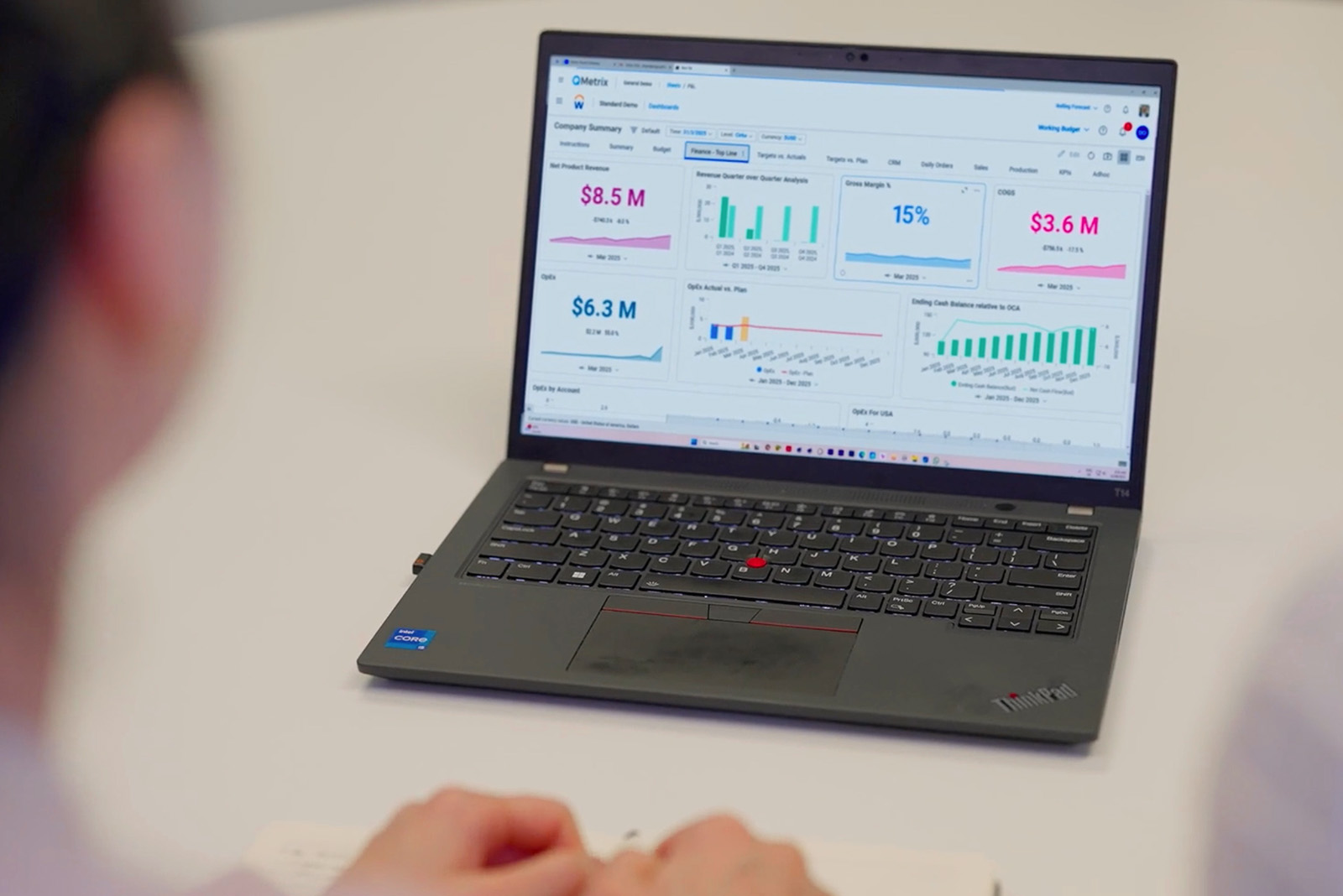
Apart from linking financial and non-financial metrics, what also helps are the visuals.
Thanks to Adaptive Planning’s capability, it integrates with the data in Microsoft Business Central to build reports that look good – and are more easily understood.
Flexible. Easy. Fast.
Just a few months into implementing the solution, cohealth has already seen clear results. For them, Workday Adaptive Planning has delivered these benefits:
- Build fit-for-purpose models and reports to deliver what you need
- Easy for users within or external to the finance team
- Huge time savings and quick access to more and accurate information
It is a far cry from the time they had to do calculations for every report, every month.
As Cathy says, “Once you get the models and reports right, you are laughing! Adaptive Planning is a brilliant system and I love it. The rest of the business engages with it, and it delivered what we needed it to”.
Prognosis: Growth
There is more cohealth wants to do with Adaptive Planning. Their next steps include integration with the payroll system and building more dashboards to take accessibility and reporting to the next level.
On working with QMetrix, Cathy says, “The team is absolutely fantastic. Starting from the brainstorming sessions, they have always been very helpful, responsive, knowledgeable and friendly. Whenever I asked a question, I got an answer straight back exploring options on what we could do.”
“QMetrix understood the complexity of what we needed especially with the models and built them from scratch. The training they provided was clear, concise and easy to go through. They are wonderful and I would highly recommend them to anyone”.
– Cathy Williams, Director Finance and Reporting
Impact for cohealth
Prescribing precision with Workday Adaptive Planning
Workday Adaptive Planning helps finance teams with better Financial Planning and Analysis. Explore how it can solve your budgeting, forecasting, planning and reporting challenges.
free resource
3 Ways the CFO of a not-for-profit can drive better financial management
The most successful NFPs are those that can leverage robust financial management to maximise impact. Here are 3 key things that CFOs of NFPs need to consider.