

Video – FP&A Transformation 101
What systems does Adaptive integrate with?
When implementing a Financial Planning and Analysis (FP&A) solution, system integration is an important part of it. A key benefit of moving away from Excel spreadsheets to a modern FP&A solution is so systems don’t operate in silos, and automation can be set up for efficiency and accuracy purposes (and more).

Wondering how Workday Adaptive Planning connects to your existing tech stack? In this expert Q&A, QMetrix Directors Brett Ruwoldt and David Huynh break down how cloud integrations work, from general ledgers and payroll systems to CRMs and data warehouses.
They also discuss typical integration challenges and solutions, integrating non-financial metrics, common questions from IT, exporting data out, and our team of data specialists who do this.
Watch the video or listen to the conversation here:
Learn more about connecting Workday Adaptive Planning with your source systems here.
This is part of the “FP&A Transformation 101: Your guide to FP&A solution implementations” video series, where we explore how to choose a Financial Planning and Analysis solution, who to involve, the role of vendors and partners, implementation methodology, costs and more. Explore the whole series here.
Read here for a transcript of the video:
What can Workday Adaptive Planning integrate with?
[Watch at 00:00]
Brett: Dave, one of the common things we need to do in our Workday Adaptive Planning projects is integrate with source systems. The general ledger is usually the first one. Can you explain how we integrate between Adaptive Planning and a source ERP, and how that extends beyond it in the longer term?
Dave: One of the core benefits of Workday Adaptive Planning is the ability to automate integration with general ledger systems to pull in actuals for reporting. There are a few different approaches for connecting to other systems.
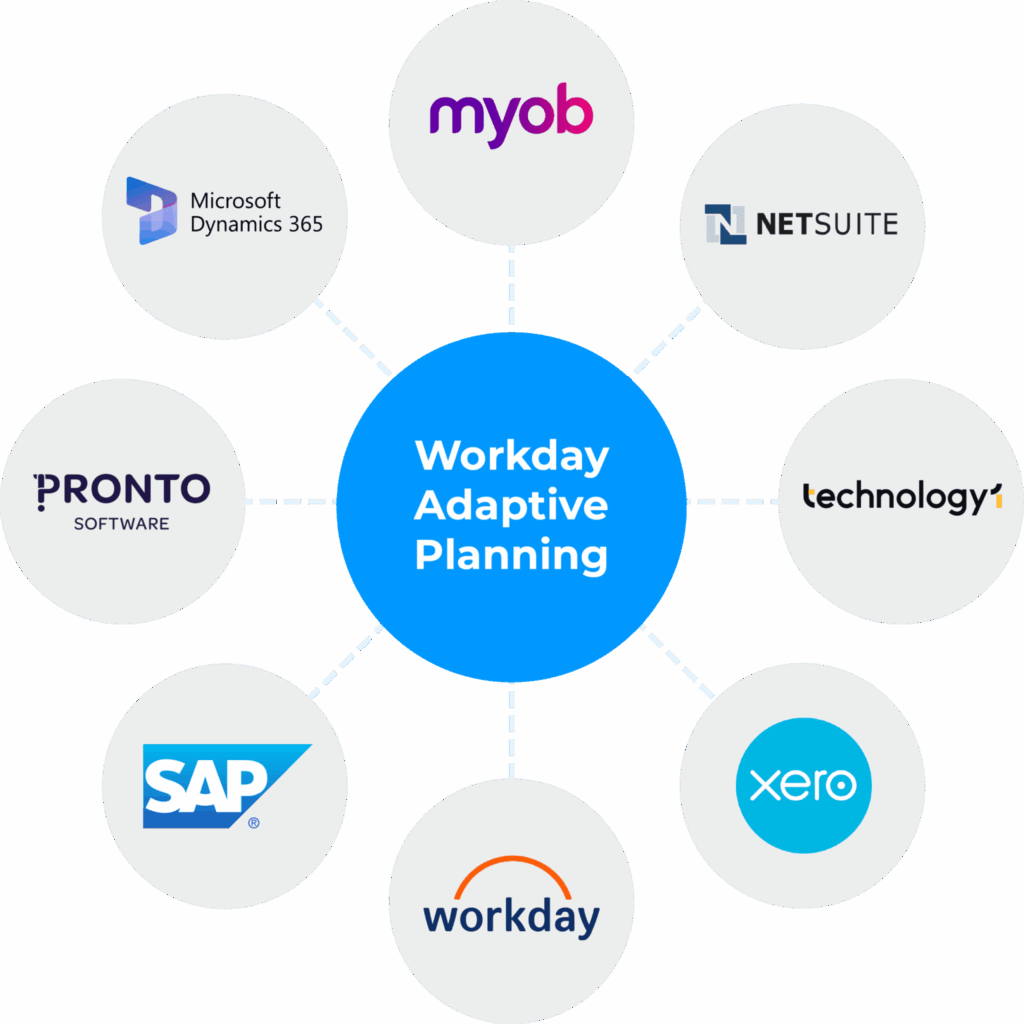
Dave: Most solutions these days are cloud-based, including a lot of ERPs. Adaptive Planning has a host of out-of-the-box SaaS connectors for these, including Microsoft Dynamics GP, NetSuite and Workday. We also have a lot of expertise with Microsoft Business Central, Technology One, Xero and others.
Dave: We usually connect to these cloud sources through REST API, so we rely on those systems exposing their endpoints for us to pull the general ledger information in. The Adaptive-specific work is quite minimal. The heavy lifting is in what the source system provides for us to connect to. In a deployment, that’s where we engage the organisation’s IT department or their external third-party vendor, such as their Microsoft Business Central vendor.
(See: what systems Adaptive from Workday integrates with)
Typical integration challenges and solutions
[Watch at 03:00]
Brett: Quite often, clients considering Workday Adaptive Planning are concerned that integration could be a problem. What are the typical challenges we face when integrating, and how might we overcome them?
Dave: The biggest challenge is the quality of the data, and how well structured it is. We’re open and honest with clients that this is one of their biggest risk factors. Some clients have operated the same general ledger system for five or 10 years, so there’s typically a lot of garbage in, garbage out. They’ve repurposed their financial dimensions several times, or created a large number of general ledger accounts.
Brett: Or the organisation has gone through a lot of change, such as a restructure, and then you’re trying to map legacy data to the existing business, which can be challenging.
Dave: One way we mitigate that is by asking clients how much history they need. Often we’re only looking at the last two years of actuals, because going beyond that means bringing through general ledger accounts or cost centres that have been deactivated or archived, and a whole mapping exercise.
Brett: So it’s a balancing act between what you really need and the effort of going back further. It’s not so much the process of integrating, but the data quality challenge that comes with it.
(Read case studies from QMetrix’s Workday Adaptive Planning clients across APAC.)
How does data load and refresh?
[Watch at 04:55]
Brett: What about the time it takes to load data? Finance teams will want to use Adaptive Planning for month-end reports and board packs. If I’ve just posted a journal entry to fix an issue, I don’t want to wait overnight for the data to refresh. How does that work?
Dave: It’s a common one. It is still a batch process, so clients need to kick off a refresh of the data. As part of our build we schedule a nightly refresh, but during month-end clients can kick off an ad hoc refresh themselves.
Dave: Depending on data volumes, you don’t want to start a refresh and then go and make a coffee while you wait. So we look at ways to streamline it. An ad hoc refresh doesn’t need to go back two years, because most often the change is only in the last month. We come up with refresh strategies that focus on the last few months, which speeds up the process quite heavily.
Dave: Another approach we discuss is drilling through to transactions, which comes with its own risk of transaction volumes. Clients often say they want absolutely everything so they can drill through on any number, but we challenge that. You’re not going to drill into balance sheet accounts, or sales accounts that are point-of-sale driven, where automated postings are probably gibberish anyway. Instead, we might bring transactions through only for overhead (opex) accounts, where you’re more likely to interrogate timing differences or purchase order approvals. It’s about being smart about what you’re integrating.
What systems does QMetrix commonly integrate with?
[Watch at 08:12]
Brett: In most of our deployments we integrate with the general ledger or ERP as one of the foundational elements. Can you share examples of other systems we might integrate with, and whether it makes sense to? How do we navigate that with the client?
Dave: We start with the general ledger as the foundation, but there’s often a requirement to extend beyond that. One system is payroll, where clients want monthly refreshes of staff costs. Staff is usually the largest cost component of any organisation, so if they want month-to-month comparatives of actual payroll costs, down to the detail, that’s a good system to integrate with.
Dave: A CRM is another common system, particularly for clients trying to forecast revenue. CRMs generally hold forecasted deals or sales, and can contain contract information, which gives you that extra level of detail.
Dave: Most of our connections these days are cloud to cloud, but some clients still have on-premise systems. It’s getting rarer, but Adaptive Planning can also connect to those via a JDBC connection.
Do we integrate non-financial metrics from other systems?
[Watch at 10:25]
Brett: One thing that commonly gets raised is that a finance team has non-financial metrics in their board pack or reporting that sit in disparate systems, with no easy way to bring them in through integration. Are there other methods they can use?
Dave: At a basic level, if we can’t integrate, usually because some manipulation needs to happen outside the system, you can still do a manual upload using a CSV or Excel file. Adaptive Planning facilitates this with a step-by-step import process.
Dave: A classic example is the number of customers, a key metric for some clients, usually to support a driver-based model. We’ve had some quirky ones too, such as OHS incidents, or the number of legal cases or safety incidents for a board pack. Some of that information is easy to do through data entry. So don’t think you have to integrate with a source system for actuals, or that everything has to be automated. You can still key in data, or run a manual upload.

Considering what integrations will provide true value
[Watch at 12:15]
Dave: There’s still information that doesn’t make sense to automate, and it’s easier for clients to key it in or run a manual upload.
Brett: For payroll-related data, ideally you would integrate it so you don’t have spreadsheets floating around with sensitive payroll data. But if they only reforecast payroll once or twice a year, you ask whether there’s a need to build an automated integration. Like anything, it comes down to the value it gives a finance person versus what it costs to build. They’re all things we can explore with our clients, but we always recommend integrating with the general ledger first and foremost, because that’s where you get the most value. We rarely don’t integrate with that system.
Dave: That’s usually a mandatory thing we do, so our clients get the value out of it.
Other common integration questions from IT
[Watch at 13:35]
Dave: A few other questions we get on the integration side are more about supporting IT conversations. Many of our clients, certainly at the bigger end, have a platform that orchestrates their integrations, an integration platform as a service such as MuleSoft or Dell Boomi. For some organisations it’s a requirement that everything flows through it. That works well for us, because there’s maturity there, and we don’t always have to go direct to the source system. We can go via the integration platform.
Dave: If a company is more reserved, or can’t allow a direct connection, there’s also the SFTP route. They run an export to an SFTP server, and we pick up the flat file from there.
(See how Adaptive from Workday integrates with your source systems.)
Exporting data out
[Watch at 15:24]
Dave: One other area is exporting data out. We’ve focused a lot on importing data into Adaptive Planning, but on occasion the actuals, plans or KPIs we generate within it are useful to other parts of the business, particularly those that already have a data warehouse, such as Fabric or Snowflake. Adaptive Planning allows you to connect to these, so in essence it’s an open platform.
Brett: Integration can be two-way. It’s not as common, but there is sometimes a requirement to push forecasts and budgets out to a data warehouse so they can be ingested into other solutions, such as a reporting tool for operational reporting.
(Learn how Adaptive Planning works alongside BI and operational reporting tools.)
QMetrix’s team of data specialists
[Watch at 17:00]
Dave: There’s nothing to be concerned about. A comment on QMetrix and the services we provide: we have a data integration team that does a lot of the heavy lifting on this for us. They do it day in, day out, so it’s not a concern for them, and generally we can get access to the data.
Brett: That’s an important point. Our finance team are highly capable, but if there is a particularly challenging technical aspect to a deployment, which is usually around integration, QMetrix has a data integration team we can call on to solve those bigger challenges. Something to bear in mind.
(About QMetrix’s dual capability when tackling complex technical integrations.)

Accelerate your FP&A with Workday Adaptive Planning
Workday Adaptive Planning helps finance teams with better Financial Planning and Analysis. Explore how it can solve your budgeting, forecasting, planning and reporting challenges, and about QMetrix’s implementation services.
Watch other videos in the “FP&A Transformation 101” series
In this series we provide an honest take on the FP&A implementation journey and answer questions we’ve heard from hundreds of finance teams. Explore how to choose a solution, who to involve, the role of vendors versus partners, implementation methodology, costs and more.
Have questions about Workday Adaptive Planning?
Considering a solution implementation, have questions about our industry expertise, or want to speak directly to an Adaptive specialist at QMetrix?
Whether you’re exploring the platform or a a current Workday user, fill in the form and we’ll get back to you soon.