
The Workday Adaptive Planning 2022 R2 release introduces alternate calendars to manage multiple fiscal year-ends, improvements to dashboards and modelling for acquisitions, enhanced OfficeConnect functionality and integration capabilities for better reporting flexibility.
Alternate calendars
In previous releases of Workday Adaptive Planning, instances were limited to one calendar. Users that required an alternate time rollup were forced to create a separate instance.
With the 2022R2 release, users are able to import up to three alternate calendars.
- When multiple calendars have been imported, a calendar prompt appears in the time area of Modelling, enabling you to select the alternate calendars.
- When a calendar is selected from the prompt, the strata rollup in the calendar prompt will automatically update.
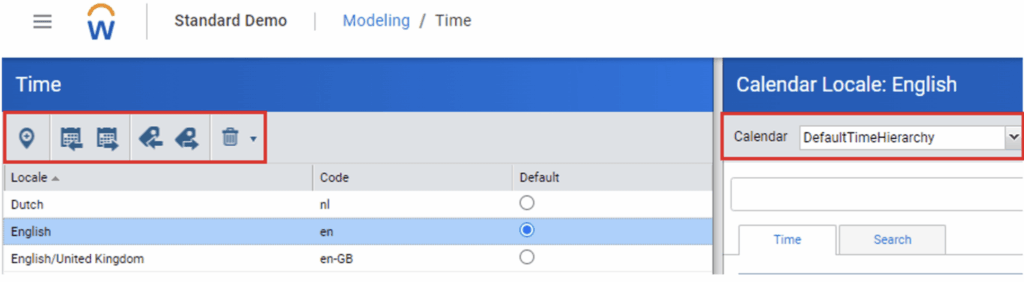
These alternate calendars are available in sheets, web reports, OfficeConnect reports and dashboards.
- In reporting, all calendars will be available in the elements tab under Time.
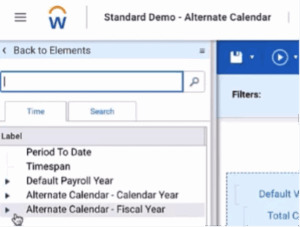
- In dashboards, they will be available under the chart time settings and time filters.
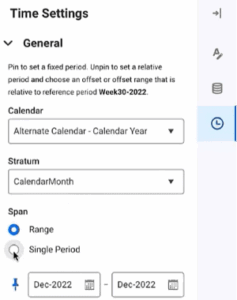
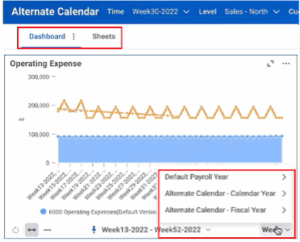
Calendars can now be renamed so that the alternate calendars can have a meaningful name to differentiate from the others.
Update and Append attribute structure
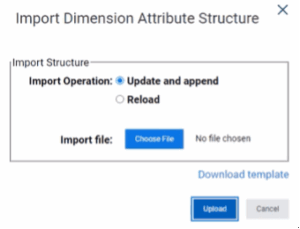
The Update and Append feature for attributes has been enhanced, allowing the addition of new accounts, dimension attributes and dimension values to be updated within a single import.
- Users will notice that the “Append” option is replaced with “Update and Append” for account, dimension and level attributes.
Contra Accounts
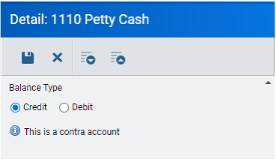
Users now have the option to edit the ‘Balance Type’ of an account within the GL Accounts area of Model Management.
Changing the Balance Type to settings opposite to the parent account create Contra Accounts.
- For example, changing an Asset GL account to a Credit will reduce the rollup total of the parent account without needing to enter a negative amount.
Dashboard enhancements
The Dashboarding feature in Workday Adaptive Planning has been enhanced with copy and paste functions.
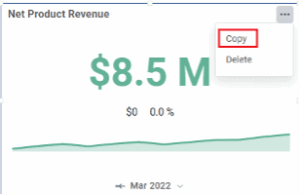
Users can now copy charts and dashboards and paste into the same, or a new perspective.
- The “Duplicate” chart option has been replaced with “Copy”.
When selecting to add a new dashboard, new options appear allowing you to create a new dashboard or to paste dashboard.
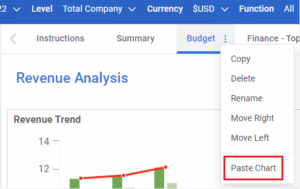
- You can also paste charts to an existing dashboard by selecting the name and Paste Chart.
Users are also now able to bulk add rows on cube sheets and sheet dials on dashboards.
When adding a row you are able to select up to 6 dimensions and create a new row for each of them.
This multiselect feature is only available on the innermost values in your dimension structure.
Streaming data for the Planning Data Source
There is now a feature enabling you to stream data using an API (v33 or higher) from the data source.
Export Configurable Model Data API
Users are now able to specify which modelled sheet columns to retrieve by filtering on them in the ‘exportConfigurableModelData‘ filters. If no columns are specified, all columns will be returned.
For this feature to work, users must set the modelled sheet element “GetAllRows” to True and be using an API of v33 or above.
Security APIs for Workday Adaptive Planning
Security APIs are now available to use to set up custom integrations by request only.
This is recommended only for instances with 100 or more planning users.
Permissions
To assist with downloading data to excel from reports or sheets, two new permissions are available. These are:
- Report data to excel
- Sheets data to excel
There is also a new permission “Create Personal Reports” which allows users to create and view both personal reports.
When this permission is disabled they will only be able to view shared reports.
Performance and scalability
Process time has been improved in the 2022 R2 release, increasing performance and efficiency in data imports.
Connect with us and stay up to date with Workday Adaptive Planning news and releases: